
How to Start a Business on eBay: A Step-by-Step UK Guide

Learn how to start a business on eBay in the UK: when you count as trading, what to register for, what it costs and how tax works.

In this article
Clearing out your wardrobe on eBay is one thing. But if you buy stock to sell at a profit, HMRC sees you as running a business.
That comes with a handful of responsibilities. You’ll need to register for Self Assessment once your trading income passes £1,000, pick a business structure, price your stock correctly, and keep records that’ll stand up at tax time.
It’s simpler than it sounds, especially if you take it one step at a time. Here’s how to start a business on eBay.
Key points
- Pay attention to the £1,000 trading allowance 💷
If your gross trading income goes over £1,000 in a tax year, you normally need to register for Self Assessment. This threshold is based on your income before expenses, not your profit. - Your business structure affects your tax and admin 🏢
Sole trader status is simpler to set up and run, but a limited company can become the better option as profits grow. No single profit level makes incorporation right for everyone. - Your selling price needs to cover your full costs 📦
Stock, eBay fees, postage, packaging, and returns can all eat into your margin. Calculate these costs before deciding whether an item or product category is profitable. - ANNA keeps your eBay finances organised as you grow 🚀
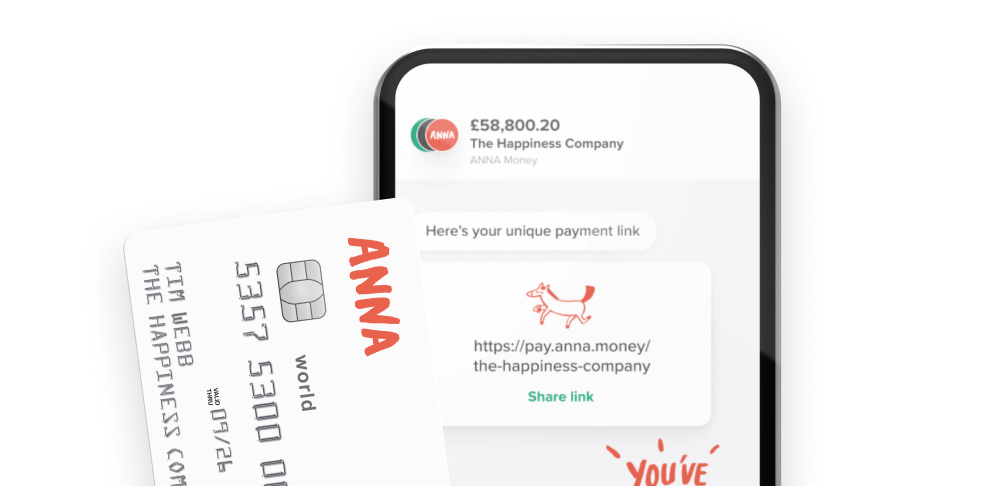
ANNA combines a business account, automatic bookkeeping, expense tracking, and tax filing to help you stay on top of your tax obligations.
Before you start
The first step is to work out whether HMRC would consider your eBay activity trading.
Selling unwanted belongings for less than what you paid for them is generally not trading. However, if you’re sourcing stock, listing items regularly, and buying goods with the intention of selling them for a profit, you’re likely to be trading.
Don’t confuse eBay’s reporting rules with HMRC’s tax rules.

eBay can report seller information to HMRC when a seller makes 30 or more sales transactions or receives €2,000 or more in total sales in a calendar year. This is a reporting threshold, not a tax threshold. HMRC can use the information to check whether sellers are meeting their tax obligations.
How to start a business on eBay
Starting a business on eBay involves more than creating listings and waiting for orders. Here’s how to set everything up in seven steps.
Step 1: Register with HMRC once your gross trading income exceeds £1,000
If your gross trading income goes over £1,000 in a tax year, you normally need to register for Self Assessment and report your trading income to HMRC. The £1,000 trading allowance applies to your total trading income before deducting expenses, rather than your profit.
The tax year runs from 6 April to 5 April. If your trading income first exceeded £1,000 during the 2026/27 tax year, you’d normally need to register by 5 October 2027.
Going over £1,000 doesn’t mean you’ll pay tax on the full amount. When you complete your tax return, you can choose between using the £1,000 trading allowance and deducting your allowable expenses. The better option depends on your circumstances.
For example, if you sell £1,200 worth of goods but spend £900 on allowable business expenses, your gross income is still £1,200, so you’ve passed the registration threshold. Your taxable profit is a separate calculation.
Step 2: Choose between being a sole trader and setting up a limited company
Most people starting a small eBay business begin as sole traders because it’s straightforward to set up and involves less administration than running a limited company. You pay tax on your trading profits through Self Assessment and can keep the after-tax profits.
A limited company creates a separate legal entity and comes with additional responsibilities, including Corporation Tax, annual accounts, and Companies House filings. It can make sense if your eBay business becomes more profitable or you want to keep business and personal finances more clearly separated, but it’s not automatically more tax-efficient.
There’s no fixed profit level at which every eBay seller should incorporate. If your profits are growing, compare the tax and administrative costs of both structures based on your circumstances to decide on the best course of action.
Step 3: Set up your eBay account as a business
If you’re trading, you should use an eBay business account rather than presenting yourself as a private seller. Business sellers have different legal obligations to consumers.
For example, you’ll need to give buyers your business details and make your returns policy clear where consumer law requires it. These rules apply from your very first sale as a business.
Step 4: Price your stock with all your costs in mind
Your eBay selling price needs to cover more than the item’s cost. eBay fees, postage, packaging, returns, and other business costs can quickly reduce your actual profit, so calculate them before deciding whether a product is worth selling.
For each item, work out your expected sale price and deduct any relevant costs. This gives you a much clearer idea of your margin.
It can also help to specialise in a particular category. Whether you sell vintage clothing, electronics, or collectables, knowing your market makes it easier to source stock, price items competitively, and spot products that are likely to sit unsold.
Step 5: Plan your postage, packaging, and returns
Decide how you’ll handle postage, packaging, and returns before your sales start building up. Choose suitable carriers and work out your average packaging cost.
You should also have a process for common problems such as damaged goods, missing parcels, and customers who change their mind. A clear returns policy and consistent approach to customer queries can save you time and help prevent small issues from turning into disputes.
Step 6: Keep records and file your tax return on time
Proper record-keeping makes it much easier to see how your eBay business is performing and work out what you owe in tax. Keep records of your sales, stock purchases, eBay fees, postage, packaging, and other allowable expenses from the start.
Your eBay payout reports and order history can help you track your income, but don’t rely on them as your only records. Keep receipts, invoices, and other evidence for your business expenses too. This gives you the information you need when it’s time to work out your taxable profit.
When you come to file your Self Assessment, you can generally choose between the £1,000 trading allowance and deducting your actual allowable expenses. You can’t claim the trading allowance and deduct your expenses from the same income, so it’s a good idea to compare both options to see which gives you the better result.
Your Self Assessment tax return covers the tax year from 6 April to 5 April, and the deadline for filing online is 31 January following the end of the tax year. For example, an online return for the 2026/27 tax year is due by 31 January 2028.
If your turnover from self employment and property is over £50,000 (£30,000 from April 2027), you’ll need to use Making Tax Digital for Income Tax. That means keeping digital records and sending HMRC quarterly updates through compatible software.
Step 7: Register for VAT
You normally have to register for VAT when your taxable turnover exceeds £90,000 in a rolling 12-month period. This isn’t based on the tax year, so keep an eye on your turnover as your eBay business grows.
Taxable turnover is the total value of your sales that aren’t exempt from VAT, not your profit.
Selling through eBay can also involve the platform collecting VAT on certain transactions, particularly for sales to customers outside the UK. That doesn’t necessarily remove your own VAT filing obligations. You need to check how each type of sale is treated before assuming eBay has dealt with everything for you.
Once you’re VAT-registered, you’ll need to charge VAT where applicable, keep the required records, and submit VAT Returns to HMRC.
Keep your eBay business organised with ANNA
Running an eBay business means tracking sales, stock costs, postage, expenses, and tax alongside your day-to-day orders.
ANNA brings your finances and tax admin into one place, so you can manage them efficiently and don’t have to switch between separate tools.
Here’s how ANNA helps:
- Business account: Keep your eBay income and business spending separate from your personal finances, with business statements and spending cards in one place
- Automatic bookkeeping: ANNA categorises every transaction as it happens, so your records are organised and ready for tax time without manual data entry
- Expense tracking and receipt capture: Record stock purchases, postage, packaging and other business expenses, then capture receipts so you have the evidence you need for your records
- Invoicing and payment reminders: Create professional invoices and track outstanding payments if you sell directly to customers outside eBay
- Taxes calculated and filed automatically: ANNA calculates and files your Self Assessment or Corporation Tax, depending on your business structure
- Making Tax Digital for Income Tax: ANNA keeps your digital records and sends your quarterly updates at no extra cost (if your turnover passes the MTD threshold)
- VAT Returns: If your eBay business becomes VAT-registered, ANNA can help you manage your VAT records and file your VAT Returns
- PAYE and payroll: ANNA can handle payroll and PAYE submissions if you take on employees as your business grows
- Smart Money Pots: Set money aside for your tax bill as you earn, so you’re less likely to be caught short when a payment is due
- 24/7 support: Get help from a UK-based support team whenever you need it
Open an ANNA account and set your eBay business up for success.
FAQ
Yes, if your profits are high enough. Class 4 National Insurance applies above £12,570 for 2026/27, while Class 2 is treated as paid once profits reach £7,105.
Some categories need extra paperwork before you can trade legally. These include cosmetics, electricals, alcohol, and some second-hand goods covered by waste regulations when you resell them in bulk.
Check the specific rules for your product category before you start sourcing stock, since eBay’s own listing policies don’t always match your separate legal obligations.
Importing goods for resale may involve paying customs duty and import VAT when the stock arrives, on top of whatever you already paid the supplier. Customs duty counts as an allowable business expense. Import VAT does too if you’re not VAT-registered, but if you are, you’d normally reclaim it on your VAT Return instead.
There’s no legal requirement to have specific business insurance as a sole trader, but running a business from home can affect your existing home insurance policy, and some providers require you to declare business activity or take out separate cover.
It’s also a good idea to check your mortgage or tenancy terms, since some restrict using a residential property for trading.
It covers all your trading income combined, not eBay specifically. If you sell on eBay and also on Vinted, Depop, or through your own website, HMRC looks at the total gross income from all of it together when deciding whether you’ve gone over the £1,000 threshold.
Yes, you can claim if you use part of your home regularly for the business, whether that’s storing stock, packing orders, or managing listings.
You can either use HMRC’s simplified flat rate for home working or work out a proportion of your actual household costs, such as heating and electricity, based on the space and time used for the business.
You need to tell HMRC you’ve stopped self employment, otherwise you’ll keep getting asked to file Self Assessment returns.
You’ll also need to report any final trading income and account for any stock or equipment still on hand at the point you close down, as that can affect your final tax calculation.
Read the latest updates



You may also like


Open a business account in minutes
