
A Guide to Self Assessment for Self-Employed Workers [2026]


Explore the guide to Self Assessment for self-employed and learn how you can stay organised, meet deadlines, and manage your taxes with confidence.


In this article
- Key points
- What is Self Assessment?
- How to register for Self Assessment if you’re self-employed
- Key Self Assessment deadlines (and how the tax year actually works)
- New rules in 2026: Making Tax Digital
- 3 practical tips to make Self Assessment easier
- How to make filing for Self Assessment automatic and stress-free with ANNA
If you’re self-employed, Self Assessment can be overwhelming, considering all the deadlines to meet, expenses to claim, and penalties to avoid.
With digital reporting changes on the way, it can all feel a bit too much.
However, with the right tools and strategy, Self Assessment for self-employed workers can be completely manageable.
Read on to learn more about Self Assessment and how to make the whole process smoother and far less stressful.
Key points
- Understand Self Assessment and your responsibilities
If you’re self-employed, you are responsible for reporting income, declaring allowable expenses, calculating taxable profit, and paying Income Tax and National Insurance.
- Register on time and keep your Unique Taxpayer Reference (UTR)
New self-employed individuals must register for Self Assessment with HMRC by 5 October following the tax year. You need your UTR to file returns, pay tax, and access HMRC services.
- Know the deadlines and tax year structure
The UK tax year runs from 6 April to 5 April, and key deadlines include 5 October for registration, 31 January for filing online and paying tax, and 31 July for any remaining Payments on Account.
- Organise finances and bookkeeping regularly
Setting aside 20%–30% of each payment for tax, keeping weekly records, and claiming allowable expenses reduces stress and ensures accuracy.
Leverage automation to save time and money
ANNA’s all-in-one platform registers your business, manages invoices, prepares and files Self Assessment, Corporation Tax, and VAT returns, and updates your accounts continuously. By using AI-powered automation, you can save up to 90% compared to traditional accounting methods while reducing errors and stress, ensuring your taxes are always handled efficiently.
What is Self Assessment?
Self Assessment is the system used by His Majesty’s Revenue & Customs (HMRC) to collect Income Tax from people whose earnings aren’t taxed automatically through PAYE.
If you’re self-employed, tax isn’t taken automatically from your earnings, which means you have to calculate and pay it yourself.
Whether you’re a sole trader, freelancer, contractor, consultant, or side-hustler, you’re responsible for:
- Reporting your income
- Declaring allowable expenses
- Calculating your taxable profit
- Paying Income Tax and National Insurance
Who needs to submit a Self Assessment tax return?
You need to complete a Self Assessment return if:
- You’re self-employed and earn more than £1,000
- You’re a partner in a partnership
- You have untaxed income, such as rental income, dividends over the allowance, or foreign income
- You earn over £100,000 annually
- You receive a Child Benefit and have a high income
If you’re newly self-employed in the 2025–26 tax year, you must first register for Self Assessment.
If your self‑employment income is under £1,000 in a tax year, you may not need to fill in the self‑employment section of a return. However, you still need to verify your situation with HMRC because other factors, such as other untaxed income, could mean you still have to file.
If you expect to earn more in future years, staying registered can help you prepare to report when you hit the threshold.
How to register for Self Assessment if you’re self-employed
If you’ve never filed a tax return before, registering is your first and most important step. This is how HMRC knows you’re self-employed and can expect a tax return from you.
You can register online through HMRC, and you’ll need:
- Your full name
- Date of birth
- National Insurance number
- Address
- Phone number and email
- The date you started self-employment
- A brief description of your business
Step 1: Create a Government Gateway account
If this is your first time dealing with HMRC online, you’ll need to create a Government Gateway user ID and password.

This login will be used for filing tax returns, checking your tax bill, managing National Insurance, and accessing other HMRC services.
Step 2: Register as self-employed
You’ll complete a form that gives HMRC information about when your business started, what type of work you do, where your business is registered, and whether you’re trading under your own name or a business name.
Once you submit these, HMRC processes your registration.
Step 3: Activate your online account
After registering, HMRC will send you a Unique Taxpayer Reference (UTR), a 10-digit number that identifies you for tax purposes.
This number is important because you’ll use it to file tax returns, pay tax, communicate with HMRC, and register for Making Tax Digital (MTD).
It usually arrives within 10 working days.
After you receive your UTR, you usually get an activation code for your Self Assessment online account.
Good to know:
You only need to register once.
After that, HMRC expects a return from you every tax year, and you continue filing annually unless you tell them you’ve stopped trading.
If you stop being self-employed, you must inform HMRC, or they’ll keep expecting tax returns.
Common registration mistakes to avoid
Here are a few things to pay attention to:
- Waiting until January: Registration takes time, and you can’t file without a UTR
- Entering the wrong start date: Your start date determines which tax year you’re reporting for
- Forgetting to update your address: Your UTR is sent by post, so an incorrect address can cause delays
- Ignoring HMRC letters: Even if you think it’s ‘just admin’, open everything
Key Self Assessment deadlines (and how the tax year actually works)
Everything revolves around the UK tax year. When you understand how the tax year works, the deadlines make much more sense.
In the UK, the tax year doesn’t follow the calendar year, but it runs from 6 April to 5 April. So, the 2025–26 tax year started on 6 April 2025, and it ends on 5 April 2026.
Any income you earn between those two dates belongs to that tax year.
This distinction matters because your Self Assessment return reports income for one specific tax year at a time.
When it comes to deadlines, here are the ones to remember:
- 5 October: Registration deadline
- 31 January: The first big filing deadline.
You must submit your online tax return, pay any tax owed for 2025–26, and make your first payment on account, if necessary - 31 July: The second big filing deadline
You’ll pay the remaining 50% of your estimated 2026–27 tax bill
What happens if you miss a filing deadline?
If you miss the online filing deadline of 31 January, you’ll receive an automatic £100 late filing penalty.
It applies even if you don’t owe any tax, if you’re just one day late, or if you still need to submit the return.
Total can exceed £1,600 for significant delays, even if no tax is owed.
Also, keep in mind that filing late and paying late are two different issues.
Even if you file your tax return on time, you can still face penalties for paying late.
Here’s how late payment penalties build up if tax remains unpaid after 31 January:
| Time after 31 January due date | Penalty applied | What it means |
| 30 days late | 5% of unpaid tax | An additional 5% is added to the outstanding balance |
| 6 months late | Additional 5% of unpaid tax | Another 5% penalty is charged on the remaining unpaid amount |
| 12 months late | Additional 5% of unpaid tax | A further 5% penalty is added to the unpaid balance |
| From 1 February onwards | Daily interest charged | Interest increases daily at the Bank of England base rate + 2.5% until fully paid |
You should always file, even if you can’t pay.
Filing avoids the automatic £100 penalty and daily late filing charges, while payment can often be arranged if you communicate with HMRC on time.
New rules in 2026: Making Tax Digital
One of the biggest changes affecting self-employed people this year is Making Tax Digital for Income Tax (MTD ITSA).
MTD requires eligible self-employed individuals to:
- Keep digital records
- Use approved accounting software
- Submit quarterly income updates
- Submit an End of Period Statement
- Submit a Final Declaration
Instead of filing just once a year, reporting becomes more frequent.
From April 2026, MTD applies to self-employed individuals and landlords with gross income above a specific threshold of £50,000.
If your income exceeds the threshold, you must:
- Use compatible HMRC-approved software
- Submit quarterly updates (first quarterly update for 2026 starters is due by 7 August 2026)
- Maintain digital records
Although switching to MTD may feel overwhelming at first, quarterly submissions will be easier if your bookkeeping is up to date.
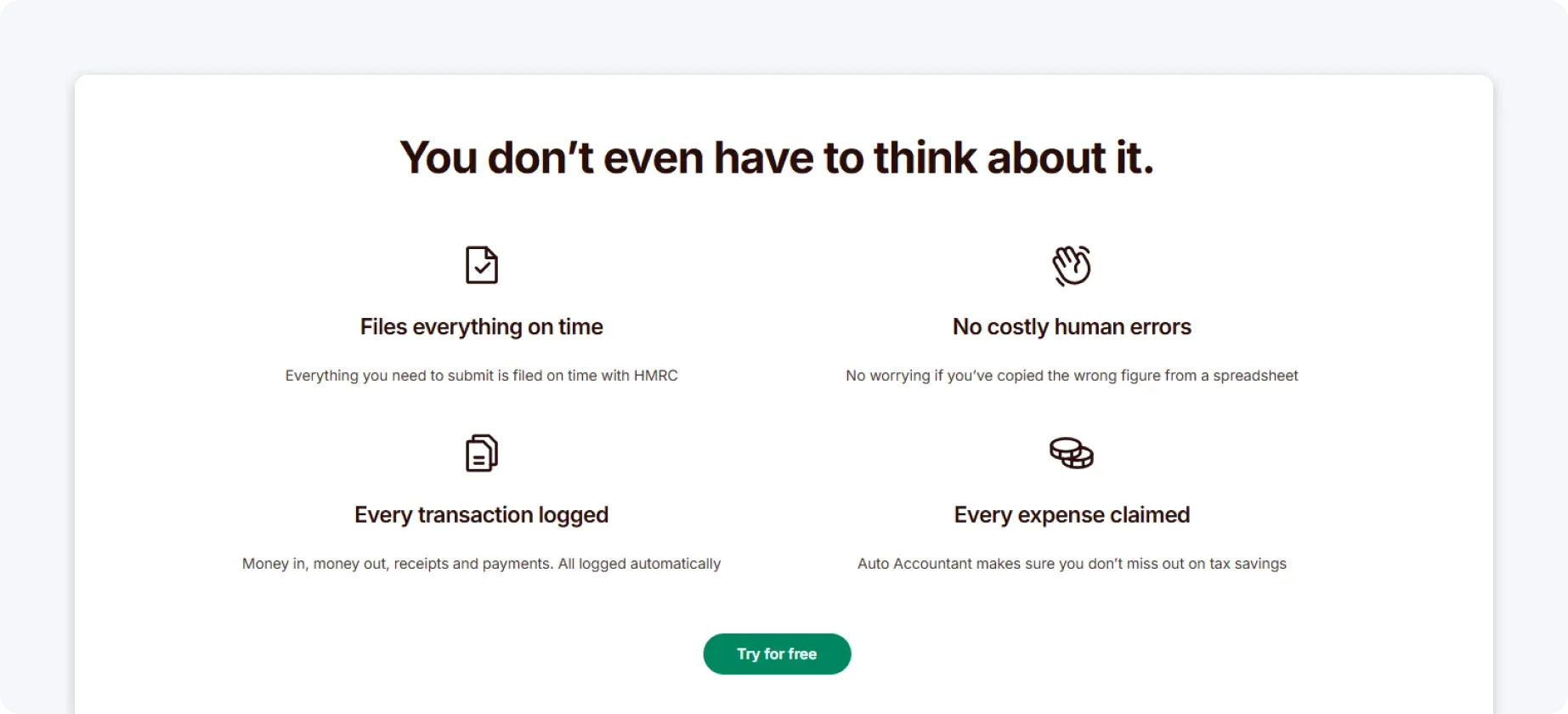
This is where ANNA can help. Our AI Auto-Accountant:
- Makes your quarterly submissions ready to file
- Files year-end Self Assessment
- Keeps your bookkeeping accurate and up to date
- Does automatic VAT returns
- Tracks deadlines specific to your business
For your first year, we offer a 100% discount on our MTD service. If you already filed your 2025/26 Self Assessment with different software, we’ll refund the difference when you join.
3 practical tips to make Self Assessment easier
Here are the best tips that will help you get through the tax season with as little stress as possible:
1. Set aside money for tax
When money lands in your account, it’s tempting to treat it all as ‘yours.’ However, if you’re self-employed, a chunk of that income belongs to HMRC.
A good rule of thumb is to transfer 20%–30% of every payment you receive into a separate savings account. This amount typically covers:
- Income Tax
- Class 2 & Class 4 National Insurance
- A buffer for payments on account
If you’re a higher earner, VAT registered, or close to higher rate tax bands, you may need to set aside more.
The easiest way to do this is to set up an automatic transfer every time you get paid and treat it as a non-negotiable business expense.
When January arrives, instead of panicking, you’ll simply move money from savings to HMRC.
Did you know?
With ANNA’s smart pots, you can split your money into clear, separate piles in seconds: tax, VAT, rent, bills, and so on.

And the best part is that you can automate the process by setting rules to move money into pots whenever you get paid or on a fixed date every month.
That means your tax money is saved before you even think about spending it.
And when a bill’s due, you can pay directly from the right pot. No last-minute panic, and no accidental overspending.
2. Keep records weekly
Leaving bookkeeping until the end of the tax year usually means:
- Hunting through emails for invoices
- Guessing what certain transactions were
- Missing expenses you forgot about
- Feeling overwhelmed
You could set aside some time during the week to review income, record expenses, upload receipts, and reconcile your bank transactions.
However, this can still be difficult if you don’t have any accounting experience.
Did you know?
ANNA can keep all your documents sorted and maintain your books in perfect order 24/7.
Our Bookkeeping Score tool keeps your books in shape by ticking off simple tasks, such as categorising expenses correctly and keeping records up to date.

The higher your score, the better your bookkeeping, and the more tax you could be saving.
3. Check allowable expenses
Claiming legitimate expenses reduces your taxable profit. Below are common allowable expenses for the self-employed.
| Expense category | Examples you can claim | Notes |
| Office costs | StationeryPrintingSoftware subscriptionsPhone bills (business portion) | If your expenses are partly personal, only the portion used for work is allowable. |
| Travel costs | Fuel (business journeys only)Train ticketsParking feesMileage (using HMRC mileage rates) | Travel must be wholly for business purposes (not commuting to a permanent workplace). |
| Equipment | LaptopsToolsMachineryCameras | The equipment must be used for business. |
| Working from home | Household bills | You must choose one relief method per tax year: either a proportion of your household bills or a simplified flat rate. |
| Professional costs | Accountant feesBusiness insuranceTraining courses related to your business | Training must maintain or improve existing business skills. |
4. Leverage digital tools
Digital tools can help, especially as MTD rolls out.
They can help you:
- Track income automatically
- Categorise expenses
- Store digital receipts
- Estimate tax in real time
Seeing your estimated tax build gradually through the year removes the January ‘cliff edge’ feeling.
How to make filing for Self Assessment automatic and stress-free with ANNA
ANNA is an all-in-one business app that registers your company, handles invoices, keeps your books in check, and files your taxes in one place.
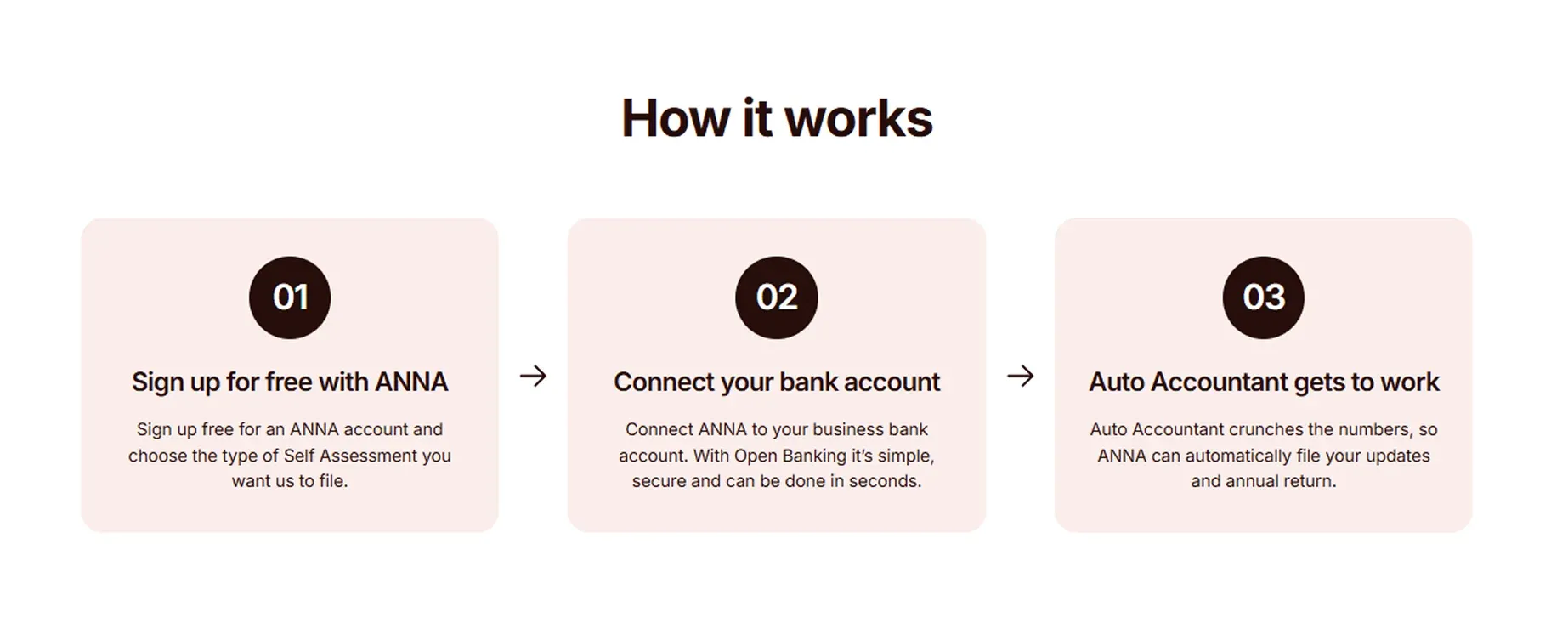
ANNA’s MTD Self Assessment includes:
✨ MTD updates, automatically prepared and ready to file quarterly
✨ Year-end Self Assessment filed, so you can submit your final declaration to HMRC
✨ Auto Accountant that takes care of your bookkeeping
✨ 24/7 Auto-Accountant support with jargon-free answers to any tax questions
✨ Automatic VAT Return calculation and direct filing with HMRC
✨ Invoicing with card payments, so you get paid faster
✨ Tax calendar tailored to your business
✨ Payroll with automated PAYE and NICs so you can easily pay one employee
With ANNA, you can save up to 90% and pay only 10% of what most businesses spend on accounting, thanks to smart automation, AI-powered bookkeeping, and technology that replaces costly manual work.
Sign up for ANNA today to see how you can stay on top of taxes effortlessly.
Read the latest updates


![What Is Marginal Relief? [Everything You Need to Know]](https://storage.googleapis.com/anna-website-cms-prod/small_cover_3000_130_1ef44f67d1/small_cover_3000_130_1ef44f67d1.webp)







You may also like
![What Do You Need for Self Assessment? [Full Checklist]](https://storage.googleapis.com/anna-website-cms-prod/small_cover_3000_17_46b194a164/small_cover_3000_17_46b194a164.webp)
![5 Best MTD Self Assessment Software for HMRC [Compared]](https://storage.googleapis.com/anna-website-cms-prod/small_cover_3005_b1c87e930d/small_cover_3005_b1c87e930d.webp)
![How to Choose Accounting Software for Your Business? [Guide]](https://storage.googleapis.com/anna-website-cms-prod/small_cover_3013_f47de4d283/small_cover_3013_f47de4d283.webp)
![What are the MTD Deadlines for 2026? [Fully Explained]](https://storage.googleapis.com/anna-website-cms-prod/small_cover_3015_0a5cbf467b/small_cover_3015_0a5cbf467b.webp)
![5 Best QuickBooks Alternatives Compared [2026 List]](https://storage.googleapis.com/anna-website-cms-prod/small_cover_3000_15_827de14f1a/small_cover_3000_15_827de14f1a.webp)
Open a business account in minutes
