
Accounting Workflow Automation: How It Works & Tools to Use


Explore what you need to know about accounting workflow automation so you can reduce manual work, improve accuracy & streamline financial processes.

In this article
- Key points
- What is accounting workflow automation?
- Why is workflow automation important in accounting?
- What accounting processes can you automate?
- 6 best ways that accounting workflow automation streamlines your finances
- Accounting workflow automation tools that make your accounting easy
- How can you boost efficiency and accuracy with ANNA?
- FAQ
Accounting workflow automation is the process that handles your routine finance tasks.
This way, things like invoicing, expense tracking, payroll, and reporting happen automatically, without you having to lift a finger.
Read on to learn more about accounting workflow automation and the ways it keeps your numbers accurate and your processes running smoothly.
Key points
- Automation reduces manual work and errors ✍
Accounting workflow automation handles repetitive tasks, including invoicing, data entry, and bank reconciliation automatically, and cuts down on human mistakes. - Time savings let you focus on strategy ⏳
Automation frees up time for analysis, planning, and making informed business decisions. - Compliance and reporting become easier 📄
Automated workflows help UK businesses stay compliant with HMRC rules and Making Tax Digital (MTD). Systems can enforce approval steps, maintain audit trails, and automatically prepare VAT, payroll, and tax reports. - Cash flow management is simpler 😀
Accounts receivable and payable automation tracks invoices, sends reminders, and automatically matches payments. This improves cash flow, speeds up collections, and ensures timely payments without constant manual follow-up. - ANNA makes automation accessible for small businesses 🔥
ANNA combines a UK business account with full accounting automation. It handles invoicing, expense tracking, payroll, and MTD-compliant tax filing.
What is accounting workflow automation?
Accounting workflow automation is the process of using technology to handle repetitive financial tasks according to predefined rules. Instead of manually moving a task from one step to another, a system does it automatically when it meets certain conditions.
Automation systems detect events, apply rules, and carry out tasks instantly and consistently.
An automated workflow consists of three key components:
- Triggers: Kicking things off automatically when something happens – for example, an invoice coming in, an expense submitted, or a due date approaching.
- Actions: Handling the actual work behind the scenes, whether that’s pulling data, updating records, sending notifications, or creating transactions.
- Rules: Guiding what happens next by applying logic, such as deciding who needs to approve something, spotting issues, or making sure everyone follows policies.
These components work together to create a continuous flow: a trigger starts the process, rules determine what should happen, and actions carry it out.
Automation workflows often integrate multiple systems, such as accounting platforms, bank feeds, payroll tools, and internal databases, so information moves automatically between them.
This way, you don’t have to re-enter data. The system keeps things moving smoothly and ensures everything stays consistent from start to finish.
Why is workflow automation important in accounting?
As the volume of transactions grows, automation makes a big difference by enabling:
- Fewer errors: Manual data entry is where most mistakes happen, and automation reduces them by pulling data directly from sources and applying the same rules every time.
- Time savings: Tasks that used to take hours, such as processing invoices or reconciling accounts, now take a few minutes.
- Better compliance: Automation helps keep everything in check by enforcing rules, following approval steps, and maintaining clear audit trails.
- Real-time visibility: Instead of waiting until the end of the month, you get up-to-date insights into your financials whenever you need them.
- More strategic work: With routine tasks handled automatically, accountants can spend more time on analysis, planning, and making informed decisions.
What accounting processes can you automate?
Not every accounting task needs automation, but many of the most repetitive ones are perfect candidates. Automation can:
- Capture invoices, route them for approval, and schedule payments, so vendors get paid on time without the back-and-forth
- Handle invoice generation, payment reminders, and payment tracking
- Manage salary calculations, tax deductions, and payments to ensure payroll runs smoothly and remains compliant
- Streamline how expenses are submitted, categorised, and approved, which makes reimbursements quicker and easier
- Match transactions automatically, identify anything that doesn’t line up, and keep your records accurate without manual checks
- Pull everything together, generate reports, and share insights, so you always have a clear picture of your finances
6 best ways that accounting workflow automation streamlines your finances
Here are the most efficient ways accounting workflow automation can improve your operations:
| Workflow | What automation does | Why it’s important for UK businesses | Key benefits |
| Invoice processing | Captures invoices, extracts details, checks against purchase orders, routes for approval, and schedules payment | Ensures accurate digital VAT records and compliance with MTD | Faster processing, fewer errors, and a clear audit trail |
| Accounts receivable | Tracks invoices, sends reminders, and identifies unpaid invoices | Improves cash flow and keeps invoices MTD-ready | Faster cash collection, less manual chasing, and better visibility |
| Payroll | Calculates salaries, tax, NI, and pensions; generates payslips | Ensures HMRC compliance and accurate Real Time Information (RTI) submissions | Error-free salaries, compliance assurance, and time savings |
| Expense tracking & reimbursements | Categorises expenses, checks policy compliance, routes for approval, and adds to payroll/accounts payable | Keeps digital records for MTD tax reporting | Faster reimbursements, policy enforcement, and a clear audit trail |
| Bank reconciliation | Matches bank transactions with ledger entries, spots discrepancies, and suggests corrections | Ensures MTD-ready tax records | Faster reconciliation, greater accuracy, and better cash visibility |
| Financial reporting | Aggregates data, generates reports, and distributes automatically | Provides accurate, timely financial data for MTD and HMRC compliance | Instant insights, reduced manual work, and better decision-making |
1. Invoice processing automation
Automation means no more chasing invoices, manually entering numbers into spreadsheets, forwarding emails for approval, or worrying about missing a deadline
When an invoice arrives, whether by email or uploaded to your accounting system, the software immediately picks it up. It automatically extracts all important information, such as the supplier name, amount, VAT, and due date.
The system cross-checks the invoice against the original purchase order to make sure everything matches. If it does, it automatically routes the invoice to the right person for approval, following your internal hierarchy.
Once it’s approved, the system schedules the payment.
Automation catches errors before they can turn into problems, and you always know where each invoice is in the process, which makes audits and MTD submissions easier.
💡 Good to know
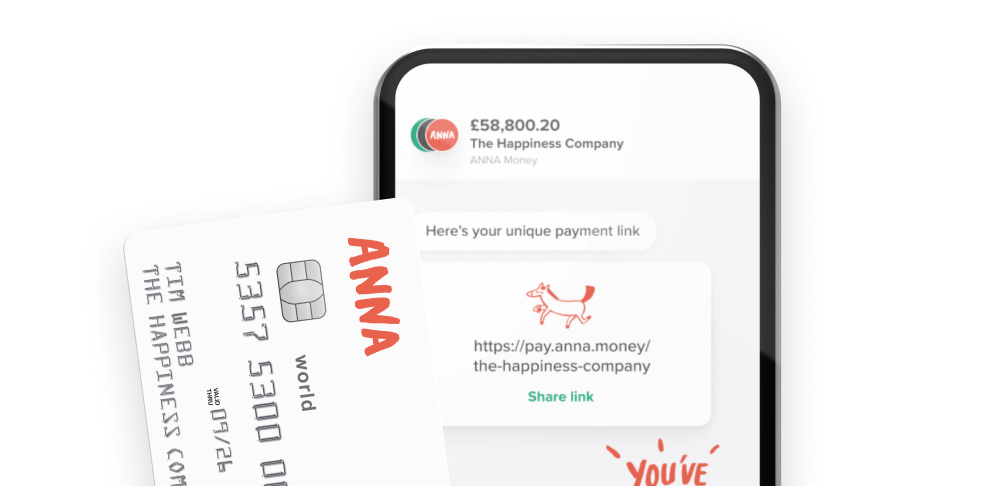
With ANNA, you can create and send professional invoices in minutes, customise them with your logo, and include payment links or QR codes so customers can pay straight away.
The system automatically matches payments to invoices.
As soon as a payment comes through, you get a notification, so you always know where your money is.
2. Accounts receivable automation
When you issue an invoice, the system automatically logs it and tracks the due date. This way, you know exactly which invoices are outstanding at any time.
The system can send gentle reminders to clients before the payment is due and more frequent messages if it becomes overdue.
It automatically records payment confirmations and sets any unpaid invoices for follow-up.
Accounts receivable automation takes the stress out of chasing payments, especially when you juggle multiple clients and payment terms.
It improves cash flow, reduces admin time, and ensures accurate records for MTD-compliant reporting, so you can file returns more easily and without mistakes.
💡 Good to know
ANNA keeps an eye on any unpaid invoices and, if you choose, automatically sends polite reminders when payments are overdue, so you don’t have to chase them yourself.
3. Payroll automation
Instead of manually calculating salaries, double-checking tax codes, and sending payslips, the system does all of that in one go automatically:
- Calculates employee hours, salary rates, and deductions
- Generates and sends payslips to employees
- Produces reports for HMRC
UK payroll can be complicated, with tax codes, National Insurance contributions, pensions, and real-time reporting to HMRC.
Payroll automation takes the headache out of this complex process and simplifies it.
Good to know:
ANNA’s payroll solution automates key tasks, such as calculating tax, National Insurance, and pension contributions, and generates payslips while filing everything directly with HMRC.
You’ll also get automatic reminders for tax deadlines, so nothing gets missed.
Our solution also handles P45s and P60s automatically and keeps everything stored securely in one place.
You don’t need an ANNA business account to use ANNA Payroll, but if you’re already an ANNA customer, we’ll automatically create draft payments for your payroll after each filing.
4. Expense tracking and reimbursement
With the right automation system, employees can snap a photo of a receipt or upload it via an app. From there, automation takes over and handles the boring bits for you.
It can instantly sort expenses into categories such as travel, meals, or office supplies.
It checks everything against your company policy and identifies anything that doesn’t comply. Then it automatically sends the expense to the right manager for approval, depending on the amount or type.
Under MTD, keeping digital records for VAT reporting is a must.
Automated expense tracking ensures that every claim is logged digitally and accurately, which makes HMRC submissions far simpler and reduces the risk of fines or mistakes.
Also, it automates internal policies, so you’re always audit-ready.
💡 Good to know:
ANNA’s receipt scanner lets you ditch paper and manual data entry.
You can snap or upload photos of receipts on the go, and we’ll automatically capture and store them digitally so you never lose them.
We use smart tech to scan and extract receipt details, categorise expenses, and store them alongside your transactions, ready for tax returns and bookkeeping.
Additionally, each time you pay with your ANNA business debit card, the app will prompt you to photograph your receipt so it’s saved straight away.
You also get automated expense summaries and reports to help you see exactly where your money’s going.
5. Bank reconciliation automation
Bank reconciliation automation imports transactions automatically from your bank accounts.
The system matches them with ledger entries and highlights any differences. If there are any discrepancies, the automation process marks them for review and automatically suggests corrections.
Instead of comparing spreadsheets line by line, the system does most of the heavy lifting. As a result, quick, accurate reconciliation helps you avoid overdrafts, spot errors early, and ensure accurate tax returns.
6. Financial reporting automation
Automated reporting gives you instant insights into your finances.
The system collects and aggregates data from all your accounts and automatically generates reports, such as P&Ls, balance sheets, and cash flow statements.
Depending on the software, you can also customise reports and distribute them automatically.
Timely financial reporting helps you make informed decisions, track performance against budgets, and stay compliant with HMRC reporting requirements.
💡 Good to know:
With ANNA, you can see exactly how your business is doing, with a clear breakdown of gross profit, margins, and cash flow.
All your accounts are combined into one live profit and loss view, so you’re always working with updated numbers.
You’ll also get a monthly summary that shows how this month stacks up against the last, which makes it easier to spot trends and patterns.
Accounting workflow automation tools that make your accounting easy
Accounting automation tools reduce manual work and keep your finances organised and compliant.
Here are our three top picks.
| Tool | Best for | Key features |
| ANNA | Freelancers & small businesses | Automated expense tracking, invoicing, VAT tracking, tax reminders, and business account |
| Xero | Small to medium businesses | Bank feeds, invoicing, payroll, integrations |
| QuickBooks Online | SMBs & accountants | Automated expenses, reporting, and a large app ecosystem |
- ANNA
ANNA is a business account combined with accounting automation that gives small businesses a real-time view of their finances.
It automates tasks ranging from income and expense categorisation, invoicing, and receipt capture to tax reminders.
Unlike traditional tools, ANNA handles transactions automatically, which reduces manual setup and ongoing maintenance.
- Xero
Xero is a cloud-based accounting platform for small to medium-sized businesses that offers automation for invoicing, reconciliation, and reporting.
Its key accounting automation features include automatic bank feeds, expense tracking, and payroll.
- QuickBooks Online
QuickBooks Online is an accounting platform that offers tools for bookkeeping, reporting, and tax preparation.
It includes automation features, such as expense categorisation, receipt capture, invoicing, and payment reminders.
Additional features include customisable financial reports and integration with payroll and third-party apps.
How can you boost efficiency and accuracy with ANNA?
ANNA is an HMRC-recognised, all-in-one business app that helps you get your company set up, send and chase invoices, keep your books in order, and file VAT, Corporation Tax, and MTD Self Assessment from one place.
Many accounting software solutions feel like they’re made for accountants, not business owners.
You end up dealing with features you don’t really need, spending ages on setup, and trying to figure things out instead of actually running your business.
ANNA keeps things simple. It’s designed for small business owners who just want their finances taken care of without the hassle, long setup, or second-guessing forms.
Here’s how ANNA can help you:
✨ Get every transaction categorised and every expense claimed
✨ Get real-time tax estimates and know how much you owe to HMRC at any time
✨ Save a percentage of your income to the tax pot automatically, so you’re always prepared when tax season comes
✨ Create, send, and chase invoices automatically, with automatic payment matching
✨ Get a built-in UK business account with cards and transfers
✨ 24/7 tax support even during the peak tax season
Other automated services by ANNA:
✨ VAT returns calculation and filing with MTD compliance
✨ Company Accounts and Corporation Tax calculation and filing
✨ MTD Income Tax Self-Assessment calculation and filings
✨ Tax reminders, so you don’t miss a single deadline
Sign up for ANNA today to see how you can take the hassle out of your accounting with smart automation.
FAQ
An accounting workflow covers recording transactions, approving invoices, reconciling accounts, and generating reports.
Having a clear workflow makes sure everything gets done correctly, on time, and without unnecessary hassle.
Automation in accounting is the use of software to automate repetitive financial tasks, such as invoicing, data entry, and reconciliation.
Instead of doing everything manually, systems follow predefined rules to process transactions, send reminders, and generate reports.
Yes, AI can automate many accounting tasks. It can process invoices, categorise expenses, spot errors, and generate reports by learning patterns in your financial data.
This way, you can save time, reduce mistakes, and get a better look at your finances.
Read the latest updates


![What Is Marginal Relief? [Everything You Need to Know]](https://storage.googleapis.com/anna-website-cms-prod/small_cover_3000_130_1ef44f67d1/small_cover_3000_130_1ef44f67d1.webp)




You may also like
![How Will Automation Affect Accounting in 2026? [Full Guide]](https://storage.googleapis.com/anna-website-cms-prod/small_cover_3000_11_514d5404c1/small_cover_3000_11_514d5404c1.webp)
![What Is Process Automation in Accounting? [Explained]](https://storage.googleapis.com/anna-website-cms-prod/small_cover_3000_12_7b691ef177/small_cover_3000_12_7b691ef177.webp)
![How to Choose Accounting Software for Your Business? [Guide]](https://storage.googleapis.com/anna-website-cms-prod/small_cover_3013_f47de4d283/small_cover_3013_f47de4d283.webp)

![10 Best Accounting Software for Small Businesses [Comparison]](https://storage.googleapis.com/anna-website-cms-prod/small_cover_3000_14_d1471dd859/small_cover_3000_14_d1471dd859.webp)
Open a business account in minutes
