
How to Pay Self-Assessment Tax? [HMRC Payment Guide]

Discover how to pay Self Assessment tax so you can confidently choose the right payment method, meet deadlines, and avoid costly mistakes.

In this article
- Key points
- Before you pay: A quick checklist
- How to pay Self Assessment tax in 6 HMRC-approved ways?
- Self-Assessment deadlines you should keep in mind
- How to check whether HMRC got your payment?
- What to do if you can’t pay your Self Assessment tax bill?
- What happens if you miss your Self Assessment tax deadline?
- Watch out for tax-related scams
- Key tips for first-time Self Assessment filers
- How to pay Self Assessment tax with ANNA
- FAQ
When the time comes to pay your Self Assessment tax, HMRC doesn’t make the payment feel simple.
There are lots of deadlines, several payment methods, and very little room for error. Miss the deadline by even a day, and interest starts compounding. Leave it long enough, and penalties follow.
For first-time filers, it can undoubtedly feel overwhelming.
Read on to learn how to pay your Self Assessment tax so you’ll know when and how to do it with zero guesswork.
Key points
- Remember the key Self Assessment deadlines 📅
The main dates are 31 January for your online return, the full tax payment, and the first payment on the account, and 31 July for the second payment on the account. Missing these can trigger interest and penalties. - Understand payments on account 💷
If your last bill was over £1,000 and not fully taxed at source, HMRC splits next year’s estimated tax into two instalments. You can apply to reduce them if you expect a lower income, but underpaying can result in extra interest charges. - Choose the right payment method for your timing 💳
Options include online banking, Faster Payments, CHAPS, Direct Debit, bank/building society, or even paying via your tax code if eligible. Faster or same-day methods are safest when paying close to deadlines. - Check your payment and stay organised ✅
Always file your return first, verify your HMRC account for any amounts due, ensure your UTR is correct, and check whether you have the letter ‘K’ as your payment reference. This prevents misallocated payments and the stress of follow-up. - Automate and simplify your tax admin with ANNA 🚀
Managing Self Assessment, bookkeeping, and filings can be overwhelming. ANNA brings everything together in one place, automating calculations and submissions while keeping everything digital and organised.
Before you pay: A quick checklist
Before paying for the tax, make sure you’ve ticked the following boxes:
- Filed your tax return: HMRC calculates your bill after your return is submitted. Paying before filing can lead to confusion or misallocated payments.
- Checked your HMRC account: Log in to your Self Assessment account to confirm:
- How much you actually need to pay
- Whether payments on account are part of the deal
- What you’ve already paid so far
- Have the correct payment reference: Your Self Assessment payment reference is your 10-digit Unique Taxpayer Reference (UTR) followed by the letter ‘K’. You’ll find it in your HMRC online account or on your paying-in slip, in case you get paper statements.
How to pay Self Assessment tax in 6 HMRC-approved ways?
HMRC offers multiple ways to pay your Self Assessment tax, which differ primarily in processing time and flexibility.
1. Pay through your online bank account
This is one of the fastest and most popular methods.
It enables you to pay directly from your bank account, and it’s often received the same day or the next working day. It’s available through most UK banks.
There are two ways to do this:
- Start your payment through your HMRC online account, which securely links you to your bank.
- Use the HMRC app to view your bill and pay it directly from your phone in just a few taps.
Because payments settle quickly, this method is ideal if you’re paying close to the deadline.
2. Pay via bank transfer
You can make a bank transfer using Faster Payments, CHAPS, or Bacs.
| Payment method | How fast it arrives | Cost | Best for |
| Faster Payments | Same day (often within minutes) | Usually free | Last-minute or near-deadline payments |
| CHAPS | Same working day | The bank fee may apply | Large payments where timing is critical |
| Bacs | Up to three working days | Free | Paying well ahead of the deadline |
Your HMRC bill usually says which account to pay into. If you don’t have a bill or aren’t sure, HMRC lets you use either of the two accounts below:
Account 1:
- Sort code: 08-32-10
- Account number: 12001039
- Account name: HMRC Cumbernauld
Account 2:
- Sort code: 08-32-10
- Account number: 12001020
- Account name: HMRC Shipley
Same as with online banking, you’ll need to use your 10-digit UTR followed by the letter ‘K’.
Good to know:
HMRC counts your tax as paid only once the money has reached their account, not when you hit ‘send’.
So if you’re close to the deadline, Faster Payments or CHAPS are your safest options.
3. Pay by Direct Debit
Direct Debit is a method in which you authorise HMRC to take the money straight from your bank account.
It runs automatically; once it’s set up, you don’t have to log in or transfer money manually each time. It’s ideal if you prefer a ‘set-and-forget’ approach.
You can set up a one-off Direct Debit specifically to pay your Self Assessment bill for the current year. Or, if you set up instalments, HMRC will automatically take weekly or monthly payments until the full balance is cleared.
If you’re setting up Direct Debit for the first time, it can take up to five working days to process. However, it should take three working days the next time (if you’re using the same bank details).
Keep in mind
Ensure your bank account has enough money on the payment date, and don’t forget that you still need to file your Self Assessment return. Direct Debit only handles the payment, not the filing.
4. Pay by cheque
If you’d rather send your Self Assessment tax payment by post, you can still do so, but it’s a bit slower.
The address is:
HMRC
Direct
BX5 5BD
United Kingdom
You don’t need to include a street name, city, or PO box; just the address is fine.
There are a few important things to get right so your payment isn’t delayed:
- Make the cheque payable to ‘HM Revenue and Customs only’
- Write your payment reference on the back: This is your 10‑digit UTR number
- Include your payslip if you have one: If HMRC still sends you paper statements, include that slip with your payment. Just don’t fold it, staple it, or attach it to the cheque.
If you don’t have a paper slip, no worries. HMRC lets you print a paying‑in slip to include instead. Just remember that a slip is only for posting a cheque, and you can’t use it at a bank branch.
5. Pay at your bank or building society
If you still get paper statements from HMRC and they’ve sent you a paying-in slip, you can also take your tax bill to your local bank or building society branch and pay it there, either in cash or by cheque.
If you choose to pay by cheque in branch, make the cheque payable to ‘HM Revenue and Customs only’ and include your 10-digit UTR number.
If you pay by cash or cheque at the bank on a weekday, HMRC will treat your payment as made on that day, even if the money doesn’t reach their account until later.
6. Pay through your tax code
Sometimes you don’t have to pay your Self Assessment tax bill in one batch.
HMRC can collect it through your regular tax code as part of your day-to-day PAYE deductions from your salary or pension.
You can pay your Self Assessment bill through your tax code if all of these are true:
- You owe less than £3,000 in Self Assessment tax
- You already pay tax through PAYE, such as through a job or a company pension.
- You submitted your tax return on time ( paper returns by 31 October or online returns by 30 December).
If you do qualify, HMRC will adjust your tax code automatically so that the amount you owe gets taken out of your salary or pension bit by bit (usually spread over the next year’s tax payments).
When do you not qualify for paying through your tax code?
HMRC won’t use your tax code if:
- You don’t have enough PAYE income for them to collect the money
- It would mean more than half your PAYE income goes on tax
- It would more than double your usual tax bill
- You originally owed £3,000 or more and tried to make a partial payment to get below the £3,000 cut-off
Self-Assessment deadlines you should keep in mind
Missing deadlines is one of the most costly mistakes you can make. There are four dates you should remember:
- 5th October:
- Register for Self Assessment: You must register by 5th October, following the end of the tax year you need to report. This gives HMRC enough time to issue your UTR and set up your online account.
- 31st January:
- Deadline to file your online tax return
- Deadline to pay the full tax bill for the previous tax year
- Deadline to pay your first payment on account (if applicable)
- 31st July:
- Deadline to pay your second payment on account
- 31st October:
- Deadline for paper/mail tax return
If the deadline falls on a weekend or bank holiday, faster payments and debit or credit card payments can still go through the next day, but slower methods need to reach HMRC by the last working day before the deadline. Otherwise, you risk being late.
What are payments on account?
HMRC asks some taxpayers to pay next year’s tax in advance.
If your last Self Assessment bill was over £1,000, and less than 80% of your tax was deducted at source, HMRC usually splits your next year’s estimated tax into two parts with the above-mentioned deadlines.
These payments go toward your next tax bill, not the one you’ve just filed.
If you expect to earn less next year, you can apply to reduce payments on account, but bear in mind that if you reduce them too much and underpay, HMRC will charge interest.
How to check whether HMRC got your payment?
Once you’ve paid your Self Assessment tax, it’s always smart to make sure the payment has actually arrived and been processed.
The easiest way to check is by logging in to your HMRC Self Assessment online account. After you’ve logged in, go to the ‘Your balance’ or ‘View payments and credits’ section.
If you paid electronically or online, it should show in your account within about a week. If you used a slower method, like a bank transfer or a cheque by post, it can take a bit longer to appear.
What to do if you can’t pay your Self Assessment tax bill?
If you find yourself in a position where you can’t pay your Self Assessment tax in full by the deadline, don’t ignore it. Getting in touch with HMRC early can make a difference.
Instead of paying everything in one go, HMRC offers a payment plan that lets you pay what you owe in monthly instalments that fit your budget.
HMRC will look at your income and essential spending to work out what’s reasonable for you to pay each month.
They usually expect you to put about half of what’s left after your bills and living costs towards your tax debt each month. Of course, you can offer more if you want to clear it faster.
There’s no set time limit on how long your plan might last – it depends on how much you owe and what you can reasonably afford.
What happens if you miss your Self Assessment tax deadline?
If you miss the Self Assessment payment deadline, your interest will start compounding right away, and it will build up daily until HMRC receives the full payment.
HMRC sets late payment interest by taking the Bank of England base rate and adding a percentage on top.
Since 6 April 2025, the formula has been Bank of England base rate + 4% for most taxes, which currently results in 8.00% rate.
At this interest rate, even a short delay adds up. For example, a £5,000 bill paid just one month late can cost you around £33 in interest, and that keeps rising the longer it’s unpaid.
On top of that, late payment penalties can be added if the balance stays unpaid over time. These are separate from interest and are HMRC’s way of nudging you to handle the bill.
Watch out for tax-related scams
Unfortunately, tax season isn’t just busy for HMRC – it’s also prime time for scammers.
Around Self Assessment deadlines, fake emails, texts, and even phone calls tend to increase, with one purpose only: to scare you into handing over money or personal details.
The tricky part is that these messages are often very convincing. To avoid getting scammed, you should know what HMRC won’t do:
- HMRC will never ask for your bank details by text or email.
- They won’t send links asking you to ‘confirm’ personal information.
- They won’t mention an unexpected tax refund.
- They don’t threaten immediate arrest or penalties via text message.
- They don’t use urgent or threatening language, like ‘final notice’ or ‘immediate action required’.
If you receive any of the above message types, ignore them. Go directly to GOV.UK and log in to your HMRC account. If HMRC needs something from you, it will be clearly shown in your official account.
Key tips for first-time Self Assessment filers
If this is your first time filing a Self Assessment return, here’s what you should pay attention to.
- Double-check your numbers and payment reference: Check your income and expenses carefully, make sure nothing obvious is missing or duplicated, and confirm your totals look realistic compared to your records. When you pay, always double-check your payment reference.
- Use HMRC tools or tax/accounting software if you’re unsure: HMRC provides online help tools and step-by-step explanations. But if your situation is more complex, using tax or accounting software can be well worth it.
The right tools can make a real difference, especially the ones that automate the process, help you stay organised, separate business money from personal spending, and keep an eye on what you might owe as you go.
And that’s where ANNA comes in.
How to pay Self Assessment tax with ANNA
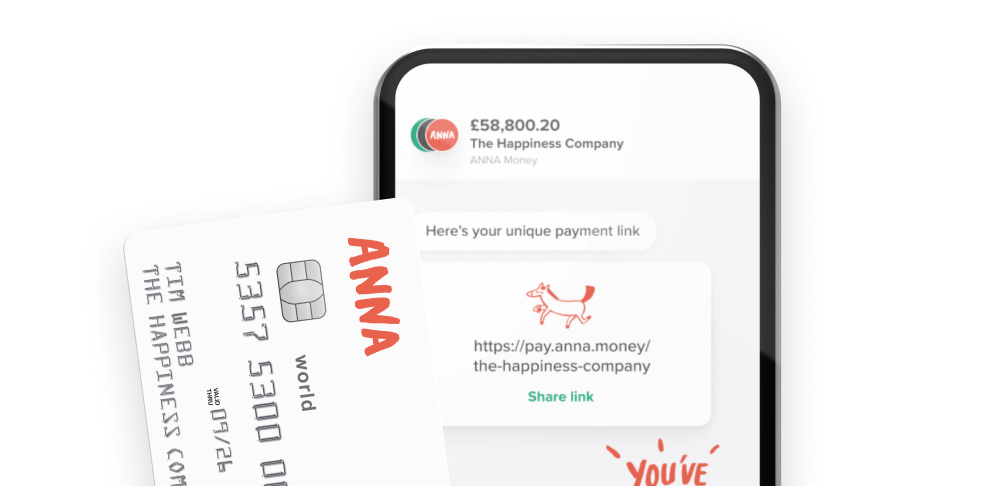
ANNA is an all-in-one business account and admin assistant that brings company registration, tax, invoicing, expenses, and bookkeeping together in one place.
Instead of juggling multiple tools or getting buried in admin, everything you need to stay organised sits neatly in one app.
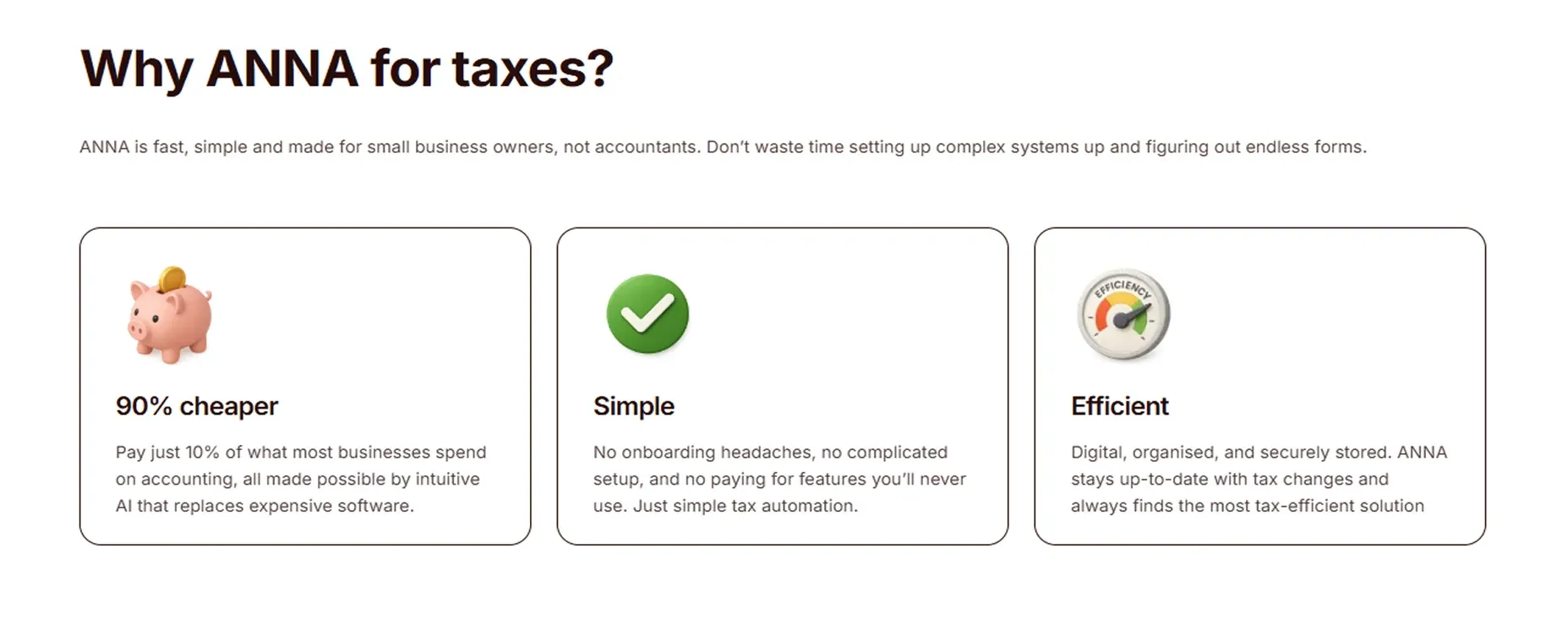
ANNA is HMRC-approved software built for business owners, not accountants. What does this mean?
No painful onboarding. No complicated setup. No paying for features you’ll never use.
Here’s how we can help:
🔥 ANNA runs everything automatically, around the clock, so even during peak tax season, nothing slows you down.
🔥 All you need to do is upload your documents. Everything else is handled automatically, from bookkeeping to returns and filings.
🔥 Your tax admin stays fully digital, neatly organised, and securely stored from day one. Thanks to smart automation, advanced AI, and no expensive manual work behind the scenes, you can save up to 90% in costs compared to traditional options.
🔥 We handle all your taxes in one place, working out what you owe and preparing and filing for Self Assessment, Corporation Tax, VAT, and PAYE directly with HMRC
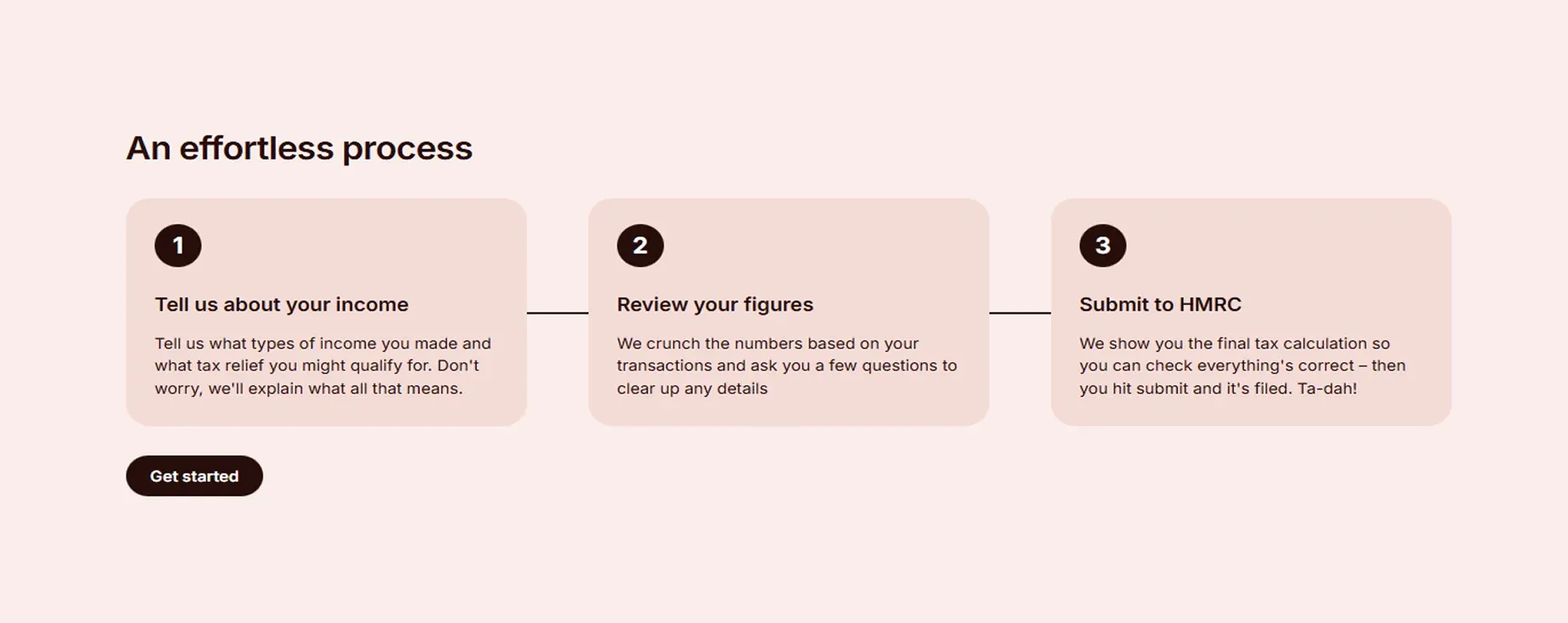
🔥 You can automatically track and categorise income and expenses, so your quarterly updates are accurate, organised, and sent on time.
👀 You don’t want to miss this
From April 2026, Making Tax Digital (MTD) becomes mandatory for self-employed people with income over £50,000.
For your first year, our MTD service is completely free, and after that, it’s just £150 a year – simple, predictable pricing with no surprises.
Try ANNA today and let automation handle the hard parts, taking the stress out of tax and admin.
FAQ
This often happens because HMRC hasn’t yet matched your payment with your filed return. It can take a few days for the system to update after you’ve paid or submitted your return.
If the amount still looks wrong after a week, check your bank statement to confirm the payment left your account, and contact HMRC’s payment support team to resolve any mismatch.
HMRC’s system doesn’t always show those payments immediately because the final balance calculation is updated only after processing your return.
Once your return has been fully processed, your account should reflect those payments correctly. If you still don’t see them after a week, it’s worth double-checking with HMRC.
If you miss the payment deadline, HMRC will start charging interest on the outstanding amount from the day after the deadline, currently at around 8% per year.
On top of that, late payment penalties may apply if your balance remains unpaid for extended periods.
Read the latest updates

![What Is Marginal Relief? [Everything You Need to Know]](https://storage.googleapis.com/anna-website-cms-prod/small_cover_3000_130_1ef44f67d1/small_cover_3000_130_1ef44f67d1.webp)

You may also like
![How to Recover Your HMRC Self Assessment Sign-In [Guide]](https://storage.googleapis.com/anna-website-cms-prod/small_cover_3000_68_7a5ed93110/small_cover_3000_68_7a5ed93110.webp)
![How to Contact HMRC for Self Assessment [Full Guide]](https://storage.googleapis.com/anna-website-cms-prod/small_cover_3041_5c0c7d0e89/small_cover_3041_5c0c7d0e89.webp)
![How to Register for Self Assessment with HMRC [Complete Guide]](https://storage.googleapis.com/anna-website-cms-prod/small_cover_3007_92339d14b7/small_cover_3007_92339d14b7.webp)
![What Is Self Assessment? [UK Tax Guide for Beginners]](https://storage.googleapis.com/anna-website-cms-prod/small_cover_3000_What_Is_Self_Assessment_UK_Tax_Guide_for_Beginners_0fe2795894/small_cover_3000_What_Is_Self_Assessment_UK_Tax_Guide_for_Beginners_0fe2795894.webp)
![How to Register a Partnership for Self Assessment [Guide]](https://storage.googleapis.com/anna-website-cms-prod/small_cover_3029_957be39a83/small_cover_3029_957be39a83.webp)
![How to File a Self Assessment as a Sole Trader [Full Guide]](https://storage.googleapis.com/anna-website-cms-prod/small_cover_3049_2dd341de72/small_cover_3049_2dd341de72.webp)
![Self Assessment Tax Return for 2026 [Complete Guide]](https://storage.googleapis.com/anna-website-cms-prod/small_cover_3039_3d3bf5c979/small_cover_3039_3d3bf5c979.webp)

Open a business account in minutes
