
Tide Business Account Review For UK Businesses


Tide is one of the UK’s newer business account providers when it comes to managing money as a business, but is the “tide” actually turning? (sorry, we couldn’t resist the pun). It already serves around 10% of the UK’s SMEs, with tools for everyone from freelancers to more established firms. In this review, we’ll run through the types of accounts available, the pros and cons, fees, and how Tide compares with other business account providers.

In this article
- Tide business account verdict
- What types of business bank accounts are available at Tide?
- Tide Business Account Review: Key Features
- Pros & Cons
- What are the requirements to open a Tide business account?
- What documents do I need to provide to open a Tide business account?
- How much does a Tide business account cost?
- How to apply for a Tide business account
- Tide Business Account Customer Reviews
- Who Tide is best for
- Tide vs ANNA – a case study
- ANNA vs Tide
- Tide business account review – final thoughts
- Frequently asked questions
Tide business account verdict
Best for: freelancers and small limited companies that want a simple app-based account with useful invoicing and admin tools.
Not ideal for: businesses that need branch access, richer free support, or lots of cash handling.
Bottom line: Tide is a solid all-rounder for small businesses, but the free tier is not as “free” as it first sounds once transfer and support limits start to matter.
What types of business bank accounts are available at Tide?
Tide offers a few account types to ensure it can cater for all budgets and needs. Let’s go through them one by one.
Free
Tide’s free account offers basic features, including international payments and savings accounts.
It may suit those who are just getting started or who make limited transfers (since only 5 free transfers are included each month).
Smart
A Smart account has everything from a free account, but also offers enhanced team access and phone support. Plus, it offers a higher interest rate on its savings account.
Pro
A Pro account has unlimited free transfers, making it a good choice for larger businesses that make lots more transactions.
There’s also a higher savings rate.
Max
A Max account provides 0.5% cashback when using the Tide card, plus even more savings interest. This means it may work out as a more cost-effective option for businesses that expect to put aside significant amounts - or make lots of purchases by card.
Top Tip: If you expect to make lots of transactions or card purchases, it might be worth paying for a Pro or Max account to save on transfer fees.
Tide Business Account Review: Key Features
Tide may offer a convenient business account, but so do many other providers! Let’s take a closer look at what makes Tide different.
Linked Instant Saver with Interest
One of Tide’s premium features is access to a dedicated savings account. You need just £1 to get started, and Max account holders have the chance to earn rates that rival many high-street banks.
Tide Accounting
Tide isn’t just a place to manage payments. It also offers accounting features to make it easier to run your business. These include:
- Analytics and reports to help you grow your business
- Invoice-sending features
- Tax Return help (including VAT and Self Assessment)
- Admin help with categories for transaction records
Tap to Pay
As a business, you want to make it as easy as possible for your customers to pay you. Tide helps this with its Tap to Pay feature, which allows you to accept payments with nothing more than an iPhone or Android phone and the Tide app.
For those who don’t have a compatible phone or would prefer other options, there’s also the option of ordering a Tide card reader.
Payment Links
Tide also has virtual businesses covered, with payment links that allow you to easily accept payments digitally. It functions with Visa, Mastercard, and Apple Pay, meaning most customers are covered.
Pros & Cons
Still weighing up whether Tide is the right choice? We’ve summarized its main pros and cons below.
Pros
Some of the top perks of Tide are:
- Additional invoicing and business help features
- Deposits safeguarded, with up to £120,000 of FSCS protection passed through by ClearBank
- Multiple tiers to choose from
- Easy-to-use app
Cons
No business account is perfect, and Tide has the following drawbacks:
- No phone support below the Smart plan
- No physical branches
- Doesn’t support payments to all countries
What are the requirements to open a Tide business account?
To open an account with Tide, you must:
- Be a UK resident
- Be aged 18 or above
- Have a UK phone number and address
- Have a smartphone with access to the Apple or Google Play Store
There are also some types of businesses that are excluded from being able to open a Tide account. These include cryptocurrency traders, loan providers, gambling, and unlicensed pharmaceuticals.
What documents do I need to provide to open a Tide business account?
In most cases, the only document needed to open a Tide account is your identification (passport, drivers license, or another ID card). However, in some cases, Tide may reach out to request additional documents.
How much does a Tide business account cost?
A full breakdown of Tide’s fees can be found on its official site, but we’ve summarized the most important below.
Tide monthly account fees
- Free: £0
- Smart: £12.49 + VAT
- Pro: £27.49 + VAT per month.
- Max: £69.99 + VAT per month
Tide international payment fees
- Free: 20p/transfer + 2.75% FX fee
- Smart: 20p/transfer above free limit + 0% FX fee
- Pro: No transfer fee + 0% FX fee
- Max: No transfer fee + 0% FX fee
Tide local transfers in and out
- Free: 5 free transfers per month, then 20p per transfer
- Smart: 30 free transfers per month
- Pro: Unlimited free transfers
- Max: Unlimited free transfers
Tide pay cash In deposit
There’s a 3% fee to pay in cash deposits at PayPoint for all account tiers, while paying in at the Post Office costs a flat £2.50 up to £500, and above £500 it’s 0.5% on Smart, Pro and Max or 0.99% on the free plan.
Tide ATM withdrawals
Whichever plan you choose, there’s a £1 fee for every ATM withdrawal.
Can you pay a cheque into an online Tide business?
Yes, Tide has recently released a feature to allow you to pay in cheques. You can deposit a cheque by taking an image of the front and back of the cheque in the app. Just navigate from “get paid” to “deposit cash and cheques.”
However, it’s not possible to deposit cheques at the Post Office.
How to apply for a Tide business account
Unlike the hassle associated with opening a traditional bank account, it’s fairly straightforward to open an account with Tide.
Since it’s a smartphone-based account, you first need to download the Tide app. Then, you can follow the steps below:
- Open the app and click the button prompting you to open an account.
- Enter the details requested, such as personal and business information.
- Verify your account by uploading your identification and taking a selfie.
You’ll also have to choose whether you want to open a sole trader or registered company account.
Tide Business Account Customer Reviews
As great as an account provider might sound on paper, it’s always a good idea to check out the real-life experience of other customers.
On Trustpilot, Tide has a 4.4 rating, which puts it in the “excellent” category. This is across more than 38,000 reviews. Those who gave the company poor ratings complained about poor responses from customer service and issues when trying to close their account. Meanwhile, the positive reviews said they found the app easy and intuitive to use.
Who Tide is best for
Tide is a good fit for freelancers, contractors, and small limited companies that want quick setup, simple invoicing tools, and an app that’s easy to use on the move. It’s less attractive for cash-heavy businesses or founders who want stronger support without paying for a higher tier.
Tide vs ANNA – a case study
Want to know what the fees involved in a Tide account would actually look like?
We’ve compared Tide’s free plan with ANNA’s free plan – the two accounts you’re most likely to start on when you’re just getting going. Both cost £0 a month, so everything below is what you pay on top of that.
Let’s say there’s a sole trader in their first year with the following month:
- Payments out: 20 transfers – suppliers, subscriptions, HMRC and their own drawings
- Money in: £900 from clients
- ATM withdrawals: Three withdrawals of £100
- Invoices sent: 8
Tide’s free plan would incur the following fees:
- Payments out: £3 (5 free transfers a month, then 20p each)
- Money in: £0
- ATM withdrawals: £3 (£1 per withdrawal, on every Tide plan)
- Invoices: 3 a month included, so 5 of the 8 need a paid tier
- Total Tide fees: £6 a month, or £72 a year
Meanwhile, ANNA’s free plan would involve the following:
- Payments out: £0 (outgoing transfers are unlimited)
- Money in: £0 (the first £1,000 a month is free)
- ATM withdrawals: £0 (ATM withdrawals are free)
- Invoices: £0 (unlimited, and ANNA chases the late ones for you)
- Total ANNA fees: £0
Both plans are advertised at £0 a month. The difference is everything around them: Tide meters your transfers, your invoices and every trip to a cash machine, so a quiet month still costs £6. ANNA doesn’t meter any of those. What ANNA does meter is money coming in – the first £1,000 a month is free, and it’s 0.95% after that. So once the invoices start landing properly, it’s worth moving up to Grow at £12.90 or Business at £22.90 a month – and by then you’ll want the free transfers and the extra expense cards anyway.
ANNA vs Tide
| ANNA | Tide | |
|---|---|---|
| Trustpilot score | ★4.6 from 5,742 reviews | ★ 4.4 from 38,663 reviews |
| How long does it take to open an account? | Under 10 minutes | Minutes to apply in the app, verification can take longer |
| Free plan | ✅ Unlimited outgoing transfers, 1 expense card | ✅ 5 transfers a month, no expense cards |
| Monthly fee (cheapest paid plan) | £12.90 + VAT (Grow) | £12.49 + VAT (Smart) |
| Local bank transfers | Free: unlimited out Grow: 15/mo, then 27p Business: 60/mo, then 20p Big Business: unlimited | Free: 5/mo Smart: 30/mo Pro and Max: unlimited |
| Expense cards | Free: 1 Grow: 2 Business: 5 Big Business: unlimited | Free: none Smart: 1 Pro: 2 Max: 3 |
| ATM withdrawals | Free plan: free Grow: 1.5%, min £1 Business: 3 free/mo, then 1%, min £1 | £1 a withdrawal on every plan |
| Pay cash in | ❌ Not supported | ✅ Post Office £2.50 up to £500, then 0.5% (0.99% on Free) PayPoint 3% |
| Cheque deposits | ❌ Not supported | ✅ Photograph the cheque in the app |
| International payments | 1% currency conversion Business: 2 free SWIFT/mo, then £5 | 0% FX on Smart, Pro and Max 2.75% FX on Free 20p a transfer below Pro |
| Customer support | ✅ 24/7 Cardiff team on every plan, typically under a minute | ✅ 24/7 in-app chat, phone support from Smart up |
| Cashback | ✅ Up to 40% at 150+ partners, on any plan | ✅ 0.5% on card spend – Max plan only (£69.99) |
| Payment collection link | ✅ Business: free up to £200/mo, then 0.5% | ✅ All plans |
| Savings pots and interest | ✅ Unlimited pots on Free, 4 on Business Savings up to 3.66% AER | ✅ Instant Saver, 2.00–3.25% AER by plan |
| Invoicing | ✅ Unlimited, and ANNA chases them for you | ✅ 3 a month on Free, Smart and Pro Unlimited on Max |
| Receipt capture | ✅ | ✅ |
| VAT return calculated and filed | ✅ Auto Accountant | ✅ Tide Accounting |
| Corporation Tax | ✅ Calculated and filed | Estimates only – no filing |
| Self Assessment | ✅ Prepared and filed by Auto Accountant | ✅ MTD-ready form generator, sole traders only |
| MTD ITSA filing | ✅ Free on every plan | ✅ Sole traders only, excludes CIS |
| Payroll and PAYE | ✅ Payroll, RTI submissions and employment allowance | ✅ Max plan, or as a paid add-on |
| Confirmation statement filing | ✅ | ✅ |
| Company formation | ✅ UK residents | ✅ |
| AI tax assistant | ✅ Terrapin | ❌ |
| FSCS protection | ❌ E-money account – funds are safeguarded in segregated accounts, not lent out or invested | ❌ E-money account – Tide cites up to £120,000 passed through by ClearBank |
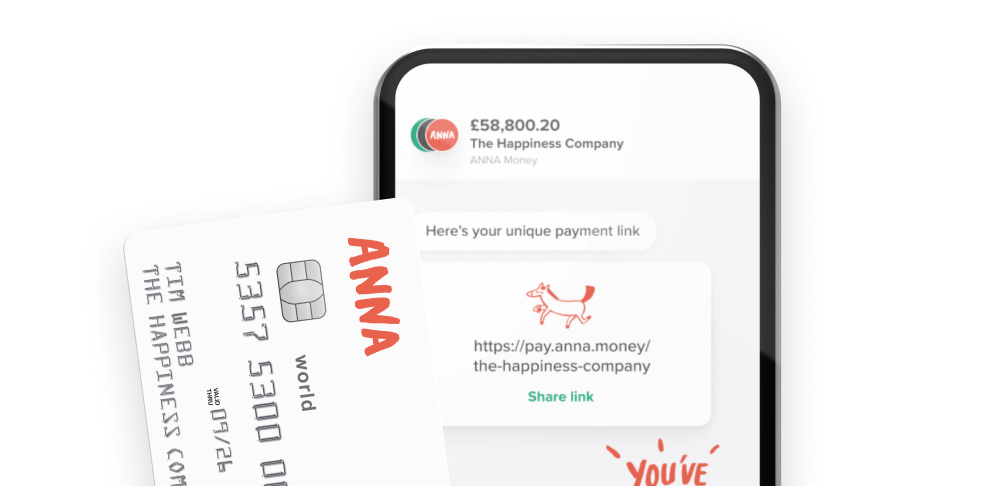
You can open an ANNA business account in under 10 minutes, and you get invoicing features (we’ll even chase them for you), auto-categorisation of your receipts and expenses, and your own payment link you can send to customers for instant payment. There are also company formations and payroll services, so the majority of your business admin can be handled by us.
ANNA can also look after your taxes, from VAT to Corporation Tax, with pots so you can set money aside for your tax bills - or anything else you’re saving for. You can even file your taxes through ANNA.
ANNA has award-winning 24/7 customer support from our base in Cardiff, and we usually get back to customers in under a minute.
For more information on opening an ANNA business account, go here. Just have your ID and proof of address handy, and it’s a breeze.
Tide business account review – final thoughts
Tide gets a lot right for small businesses: it’s quick to open, easy to use, and packed with practical tools. But if you’re comparing it as a review page rather than just an opening guide, the main trade-offs are support on cheaper plans, transfer fees on the free tier, and the lack of branches.
Frequently asked questions
You must open a Tide account using your smartphone, rather than using the website.
It only takes a few minutes to set up your account. The verification process can take longer, but for most users, it takes place within 48 hours.
You can close your Tide account directly from the app. Just go to the “Payments” tab, press “details” next to the account you want to close, and request the closure of the account. Make sure you transfer out your balance and cancel any payments first.
It’s simple to upgrade the plan on your Tide account. Just log into your account, navigate to “tools and services” then “memberships,” and select that you want to upgrade your plan.
The Tide mobile app offers various security features, such as two-factor authentication, the option to freeze cards through the app, and safe limits on transaction sizes.
Yes, Tide can work well for sole traders who want a straightforward app-based account with invoicing features. Just keep an eye on transfer fees and the support level on the free plan.
There’s no monthly fee on the free plan, but you still pay for some transfers, ATM withdrawals, and cash deposits. So it’s fee-light rather than completely free.
The most common complaints are about slow support, account closure issues, and frustration when basic features are gated behind paid plans.
Read the latest updates

![What Is Marginal Relief? [Everything You Need to Know]](https://storage.googleapis.com/anna-website-cms-prod/small_cover_3000_130_1ef44f67d1/small_cover_3000_130_1ef44f67d1.webp)




You may also like





Open a business account in minutes
