Business account with payment links
Get paid quicker with ANNA payment links
ANNA Money is a business account that comes with your unique payment link you can use to get paid online or in person. It’s quick to set up, easy to share, and the money goes straight to your ANNA business account.


What’s a payment link?
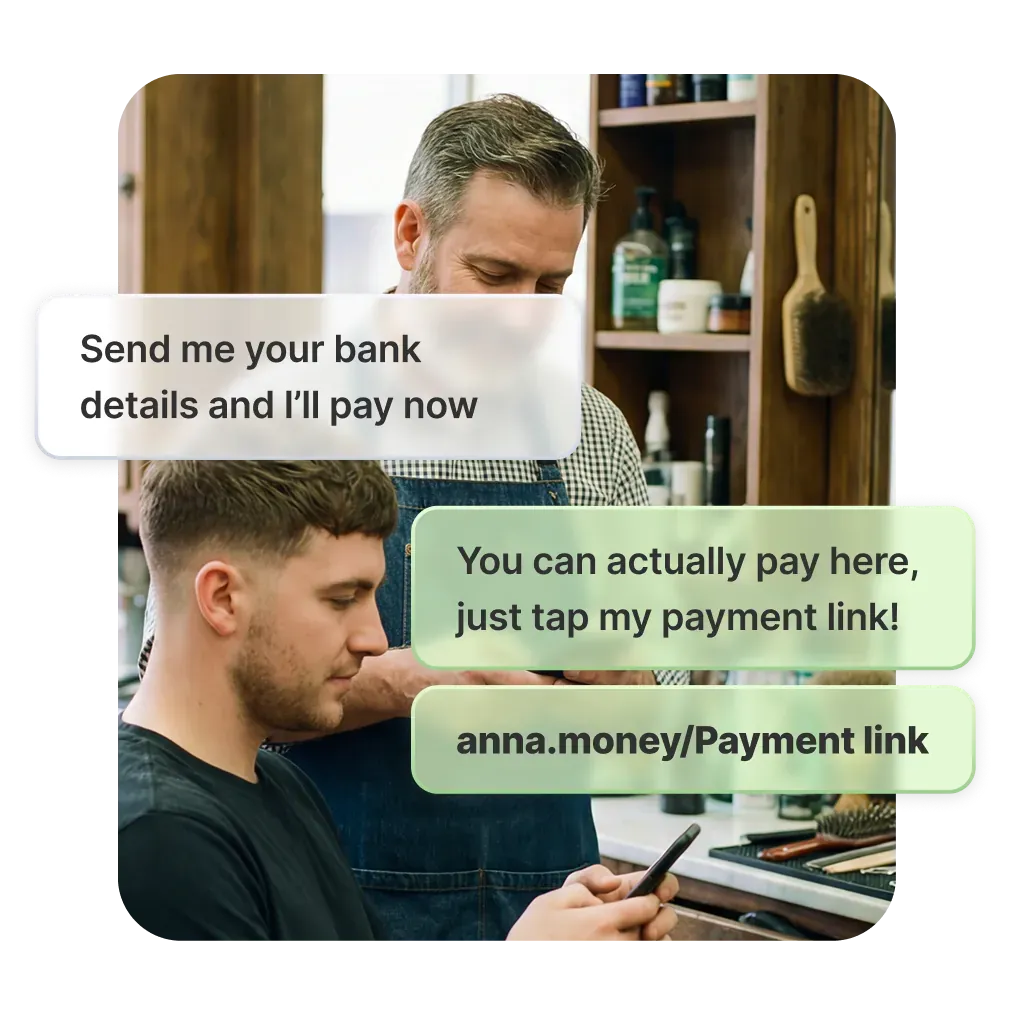
The ANNA payment link is the easier way for your business to get paid. It’s a unique webpage you get when you open your ANNA business account, with its own web address you can share with customers or put on your website or socials. So instead of having to copy out your account details, you just send them a link to your page. Easy!
How payment links work
The payment link is a webpage that’s unique to each ANNA account. You can use it to collect payments from your customers. Think of it as your own online checkout experience, or a blank online invoice – a customer enters the amount to pay and chooses how to pay you.
When to use payment links
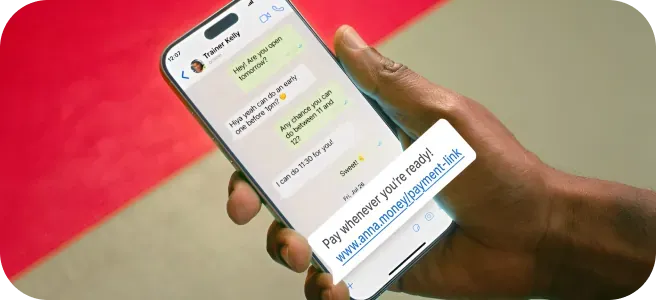
Send it over WhatsApp or put it on your social media. Or we can generate a QR code you can print out or keep on your phone for customers to scan - it’ll take them straight to your payment page
How to get paid with your payment link

Create the link
Just ask for a payment link in the ANNA app chat – it’ll be created in seconds

Share it
Send the link to a customer over text, email or WhatsApp, or put it on your website or social media bio

Get paid
Your client fills in the fields – how much to pay and how they want to make the transaction

Get the money
Depending on your customer’s bank and payment method, the money usually arrives in your ANNA account within 15 minutes to an hour.
The benefits of using payment links
Faster payments, more sales
Customers pay in a few taps. It’s quick and easy, and faster, easier payments mean more sales for you.
No website required
Your ANNA payment link is your own online checkout experience. It could be the final step of your ecommerce shop, or you can link to it from your social accounts.

Secure and compliant
All payments go through regulated, secure checkout flows that meet UK and EU standards.
Supported payment methods
Your payment link can be used for bank transfers via Open Banking and card payments. That means customers can pay quickly and conveniently, while the process stays simple and secure for you.

Bank transfer via Open Banking
Your customer chooses their bank and approves the payment in their own banking app. This means they don’t need to enter your bank details, and the payment is authorised securely through their bank.

Debit or credit card
If you’ve enabled card payments in your ANNA account, customers can also pay by debit or credit card. Card payments are completed securely on the payment page.
Peace of mind for you and your customers
After your customer makes a payment using your ANNA payment link, a few things happen straight away:

Confirmation for your customer
Once the payment is approved, the customer sees a confirmation screen showing that the payment’s been successful. If they paid using Open Banking, they’ll also see the payment confirmed inside their banking app.

Notifications for you
You’ll receive updates in ANNA chat, including:When the customer starts the payment
- When the customer starts the payment
- When the payment is successfully completed
- If the payment is cancelled or doesn’t go through
This means you don’t have to chase or check manually - ANNA lets you know what’s happening.
Easy full or partial refunds
When money comes in from your payment link, you get all the appropriate payee details, so you have them at hand if you need to make a refund.

What does ANNA cost?
Why choose ANNA for accepting your business payments
Built-in payment links
No extra tools or plugins needed. Create and share links straight from the ANNA app.
Quick to set up
Generate links in seconds and start taking payments today.
Clear, simple fees
On our Business plan, the first £200 every month you’re paid through your link is free, and after that it’s just 0.5% per payment. On our other pricing plans, there’s no limit and no commission at all.
Fast payments
Most payment link payments arrive in your account in a few minutes, and rarely take more than an hour.
Simple tracking
Get real-time status updates in ANNA chat when customers start or complete a payment.

Frequently asked questions
Are ANNA payment links safe and secure?
Yes. ANNA payment links use Open Banking, so customers approve payments securely inside their own banking app – they never share bank details with you. If card payments are enabled, customers can pay securely on the payment page via Stripe.
What payment methods can customers use with ANNA payment links?
Customers can pay using:
- Bank transfer via Open Banking
- Debit or credit card (if you’ve enabled Stripe in your ANNA account)
How do I send a payment link?
You can create and share a payment link directly from the ANNA app:
- Open ANNA chat
- Tap "Get paid"
- Select "Get payment link"
- Share it by text, email, WhatsApp – wherever suits you
Can I track my payment links?
Yes. You’ll get updates in ANNA chat when:
- A customer starts a payment
- A payment is completed
- A payment is cancelled
How much do payment links cost to use?
On the Business plan, the first £200 you’re paid each month via your payment link is free – after that, it’s 0.5% per transaction
Using your payment link is completely commission-free on Pay as You Go and Big Business plans.
See our pricing page for the full pricing plan descriptions.
How fast do I get paid with ANNA payment links?
Payments usually arrive within 15 minutes to an hour, depending on the customer’s bank.
Can I use payment links with international customers?
Generally yes, though that depends on how they choose to pay:
- Open Banking works with supported banks (mainly UK-based)
- Card payments (via Stripe) are usually the best option for international customers
What is the difference between a payment link, a payment request, and an e‑invoice?
A payment link is a shareable link that takes customers to your ANNA payment page so they can pay you instantly.
A payment request is a message asking someone to pay (which may include a link).
An e-invoice is an electronic invoice document used for billing and record-keeping – not a payment method on its own.
Can I set up recurring payments or subscriptions with payment links?
Payment links don’t support automatic recurring payments. However, you can reuse the same link and send it each time you need to get paid.
Do payment links expire?
Payment links don’t have a stated expiry. They act as your personal payment page, so you can keep using and sharing the same link.
What happens if a customer pays the wrong amount?
The customer enters the amount before paying. If they make a mistake and proceed with the payment, you can:
- Refund the payment, or
- Ask them to send a follow-up payment for the correct amount
Are payment links compliant with UK regulations (SCA, PSD2, PCI DSS)?
Yes!
Open Banking payments follow UK and EU PSD2 rules and include Strong Customer Authentication (SCA) via the customer’s bank.
Card payments are processed securely through Stripe, which handles PCI DSS requirements.
What if a customer forwards my payment link to someone else?
That’s fine. Forwarding a payment link can only allow someone else to pay you, not access your account or take money from you. If needed, you can always ask customers to include a payment reference.
Award winning 24/7 support
Need help opening your account?
In case you run into any trouble during your account opening process, don’t hesitate to ask questions in the app chat, or email us directly at help@anna.money – we’ll get you sorted in no time.
Our award-winning support team is available 24/7 and will be happy to help you.